Feature Demo: Building a Blog with Emacs Org and SvelteKit
Table of Contents
- 1. About
- 2. Where did all this text come from? orgMode
- 3. What's going on in the sidelines? hud
- 3.1. Why include HUD?
- 3.1.1. Components
- 3.1.1.1. Progrss bar
- 3.1.1.2. Breadcrumbs
- 3.1.1.3. Treemap
- 3.1.1.4. Table of Contents
- 3.1.1.5. History
- 3.1.1.6. References
- 3.1.1.7. Social Media Links
- 3.1.1.8. Word Cloud
- 3.1.1.9. TLDR (too long didn't read)
- 3.1.1.10. Glossary
- 3.1.1.11. Back Links and Forward Links
- 3.1.1.12. Tags
- 3.1.1.13. Minimap
- 3.1.1.14. Full text search
- 3.1.1. Components
- 3.1. Why include HUD?
- 4. Features
- 5. Fancy text (sub- and superscripts)
- 6. Displaying GIFs
- 7. Interactive Data Visualizations
- 8. Software Architecture Diagrams
- 9. Code literateProgramming
- 10. Transclusion transclusion
- 11. Tags tag0 tag1
- 12. Links
- 13. Structured text (tables, lists, sub and superscripts)
- 14. Narrative features
- 15. View customization
- 16. Images
- 17. Styling
- 18. Adding footnotes
- 19. Iconography icons
- 20. YouTube Video Embeds video media
- 21. socials
- 22. Glossary glossary
- 23. tldr
1. About

Figure 1: JPEG produced with DALL-E 4o
This page demonstrates the custom blogging framework used to build my technical diary: chiply.dev. This diary delivers a highly contextualized reading experience, with side-line components that enhance comprehension, navigation, and discovery of related content1.
This page serves as a test-print of my blog's features, as a sandbox for new ideas, and as a current 'state of the art' reference for what is possible with my blog setup.
Given that this page functions as a test-print – you will see progress tracking on some headings. Any heading with a DONE tag is a complete feature demo. Any heading with a TODO tag is a work in progress2.
This blog is built with Emacs Org Mode and Svelte/SvelteKit3. This page mostly demonstrates the features, but if you want to learn more about the technical design decisions that went into building this blog, read Design Decisions: Building a Modern Technical Blog.
Fellow bloggers and digital journalists will find this page useful as a reference for what is possible when building a blog with Org and SvelteKit, and all of the code used to build this site is accessible on the chiply.dev GitHub repository.
This video walkthrough will help:
2. Where did all this text come from? orgMode
The articles you will find on this blog are entirely written with Emacs org-mode4, and then converted to HTML using the included org -> HTML exporter (ox). Each article on this blog is generated from exactly 1 source .org file, although there is the ability to compose articles from multiple .org files using Transclusion.
3. What's going on in the sidelines? hud
The central window (the place you are reading this text right now), displays the full article content, and you will see a sort of heads-up-display (HUD) on the tops and sides of the screen. This HUD contains information about the article you are reading and the specific part of the article you are currently reading5.
Note that all HUD components render by default, but you can customize the layout by interacting with the buttons at the top right hand side of the screen. Any visually distracting or extraneous HUD component can be hidden and shown with a single click, and the browser will remember your settings. This allows readers to tailor the reading experience to their exact blisspoint between rich context and focused minimalism.
3.1. Why include HUD?
When you're reading a blog post, there's context (table of contents, footnotes, tags), explicit relationships (bibliography, social media links, post-to-post links, intra post-links), implicit relationships (related posts via tags, semantic content), and summarization (TLDR, minimap) that can better help you understand and navigate the content.
Most blogs ignore these important aspects of comprehension when delivering a firehose of information, and instead just dump a wall of text on the reader with no context or navigation aids.
We live in an age of information overload, and the rising effectiveness of knowledge graphs and LLMs have revealed to us that information is highly interconnected, and that these connections provide the key to distilling useful knowledge from a deluge of raw data. Using these tools daily, I am acutely aware of all the explicit and implicit connections that exist between pieces of information I scour on the internet, and a set of blog posts is no exception.
Posts within any blog are highly interconnected, and this interconnectedness is what allows us to build a rich understanding of the topics being discussed. To borrow terminology from graph theory, I like to think that the nodes (posts) provide self contained, narrative-style information on a cohesive topic, while the edges (connections between posts) allow for the construction of higher level understanding by linking related concepts together, both implicitly and explicitly.
What's more, information in my blog is highly connected to information outside of my blog (other blogs, social media, research papers, etc), and these connections are equally important to understanding the content.
To again borrow from the graph theory lexicon, I like to think of my blog as an ever-growing knowledge graph, which is embedded in the larger knowledge graph of the internet via explicit connections. As such, this blog can be used a discovery engine for finding related content, both within my blog and outside of it.
All side-line components reference a locaion inside of the article, and they autoupdate to reflect the current location in the article as you scroll through it (you will see this in action as you scroll through the page).
3.1.1. Components
Starting at the table of contents (on he left) and going anti-clockwise around the screen, here are the HUD components and their purpose:
3.1.1.1. Progrss bar
At the very top of the screen, you will see a progress bar. This bar fill from right to left displaying how far you have scrolled through the article you are reading. This is useful for gauging how much of the article you have read, and how much is left to read.
3.1.1.3. Treemap
Below the breadcrumb you will see a treemap representing the hierarchical structure of the document and the relative size of each section. This gives a nice sense of where you are in the document, and the relative size of each section.
3.1.1.4. Table of Contents
On the upper left side of the screen, you will see a table of contents. You can click on any section in the table of contents to jump to that section in the article.
3.1.1.5. History
This component is hidden by default, but this shows a navigation history within posts. This not only helps to visualize the history you are familiar with when navigating backwards and forwards in your browser, but also provides fine grain control for when your history forks, that is, if you navigate around, go back, and then navigate again – you're history is no longer linear, it's hierarchical, or 'tree like'. The history component helps you visualize this non-linear history and navigate through it.
3.1.1.6. References
At the bottom of the screen, you will see a bibliography. This is a list of both internal and external references used in the article, and is meant to give credit to the original sources of information, and to organize all external references in one place to serve as a kind of further reading list. The bibliography supports discoverability of related content, both within my blog and outside of it.
3.1.1.8. Word Cloud
The word cloud visualizes the relative frequency of keywords as they appear in the document. This gives a very high level perspective of what's discussed in the article, and how much each keyword is discussed.
3.1.1.9. TLDR (too long didn't read)
None taken lol 😁😂😅😭… I'm super verbose, and even if I wasn't, some topics are complex enough to warrant more words than anyone would be willing to read. Complex articles like this are kind of like reference materials for most folks. As a means of summarization, and as a means of helping readers navigate to the most relevant parts of the article, a TLDR component is included.
On the lower right side of the screen, you will see a TLDR (too long; didn't read) summary. This is a short summary of the article, and is meant to give you a quick overview of the article's content. You can click links in the TLDR to jump to content being referenced in the summary.
3.1.1.10. Glossary
On the right side of the screen, between the TLDR and Word Cloud, you will see a glossary panel. This component extracts term definitions from a dedicated glossary section in the article's org source, and displays them as a scrollable reference list in the sidebar. As you scroll through the article, any glossary term that appears in the body text is highlighted with a dotted underline, and the corresponding sidebar entry lights up to show which terms are currently in view. This gives readers instant access to definitions without leaving the flow of the article, and provides a useful orientation aid for posts that introduce domain-specific vocabulary.
3.1.1.11. Back Links and Forward Links
Back-linking and forward-linking are terms borrowed form the knowledge management space (think org-roam, logseq, Obsidian, etc…). These links can help users follow connections to posts that are referenced and cited by the current post, and provides this in a similar idiom to what users expect with modern knowledge management tools.
3.1.1.13. Minimap
On the far right side of the screen, you will see a minimap of the article you are reading. This is a small version of the article, and is meant to give you a quick overview of the article's structure. You can click on any section in the minimap to jump to that section in the article. This is useful for quickly gauging the size of he document, getting a birds-eye of the document structure, and for quickly navigating to different sections of the article.
I particularly like the minimap for when I can recall the visual piece of content I want to look at (eg - where was that pie chart again). I can find this extremely quickly in the minimap, and then click to jump to that section.
The minimap also provides a better sense of locale within the article, as you can see the content far above and far below your current location in the article.
3.1.1.14. Full text search
At the top right of the screen, you will see a search bar. You can use this search bar to search for any text in the article you are reading. This is useful for quickly finding specific information in the article, both by keyword and by phrase. This allows users to search for content related to a literal match or a semantic match with their input query.
4. Features
NOTE the post up until this point has followed narrative structure.
The rest of this article describes and demonstrates the features of this technical diary. These are in no particular order – the rest of this document is long (20k+ words), and reads more like reference material than prose (thank goodness we have all the HUD in the sidelines to help us navigate this wall of text 😉).
5. Fancy text (sub- and superscripts)
5.1. latex math
To demonstrate, I'll enumerate some famous equations using LaTeX math syntax. These equations span various fields of mathematics and physics, from basic geometry to complex analysis, number theory, fluid dynamics, and general relativity.
- Pythagorean Theorem
\[ a^2 + b^2 = c^2 \]
- Quadratic Formula
\[ x = \frac{-b \pm \sqrt{b^2 - 4ac}}{2a} \]
- Euler's Identity
\[ e^{i\pi} + 1 = 0 \]
- Gaussian Integral
\[ \int_{-\infty}^{\infty} e^{-x^2} dx = \sqrt{\pi} \]
- Taylor Series for ex
\[ e^x = \sum_{n=0}^{\infty} \frac{x^n}{n!} = 1 + x + \frac{x^2}{2!} + \frac{x^3}{3!} + \cdots \]
- Cauchy-Riemann Equations
\[ \frac{\partial u}{\partial x} = \frac{\partial v}{\partial y} \quad \text{and} \quad \frac{\partial u}{\partial y} = -\frac{\partial v}{\partial x} \]
- Fourier Transform
\[ \hat{f}(\xi) = \int_{-\infty}^{\infty} f(x) e^{-2\pi i x \xi} dx \]
- Riemann Zeta Function
\[ \zeta(s) = \sum_{n=1}^{\infty} \frac{1}{n^s} = \prod_{p \text{ prime}} \frac{1}{1 - p^{-s}} \quad \text{for } \Re(s) > 1 \]
- Navier-Stokes Equation (incompressible flow)
\[ \rho \left( \frac{\partial \mathbf{v}}{\partial t} + (\mathbf{v} \cdot \nabla) \mathbf{v} \right) = -\nabla p + \mu \nabla^2 \mathbf{v} + \mathbf{f} \]
- Einstein Field Equations (General Relativity)
\[ R_{\mu\nu} - \frac{1}{2}g_{\mu\nu}R + \Lambda g_{\mu\nu} = \frac{8\pi G}{c^4}T_{\mu\nu} \]
5.2. TODO subscript and superscript
This is an example of subscript: H2O, Ai,j. NOTE this isn't rendering properly due to a bug I need to fix in the org to html exporter.
6. Displaying GIFs
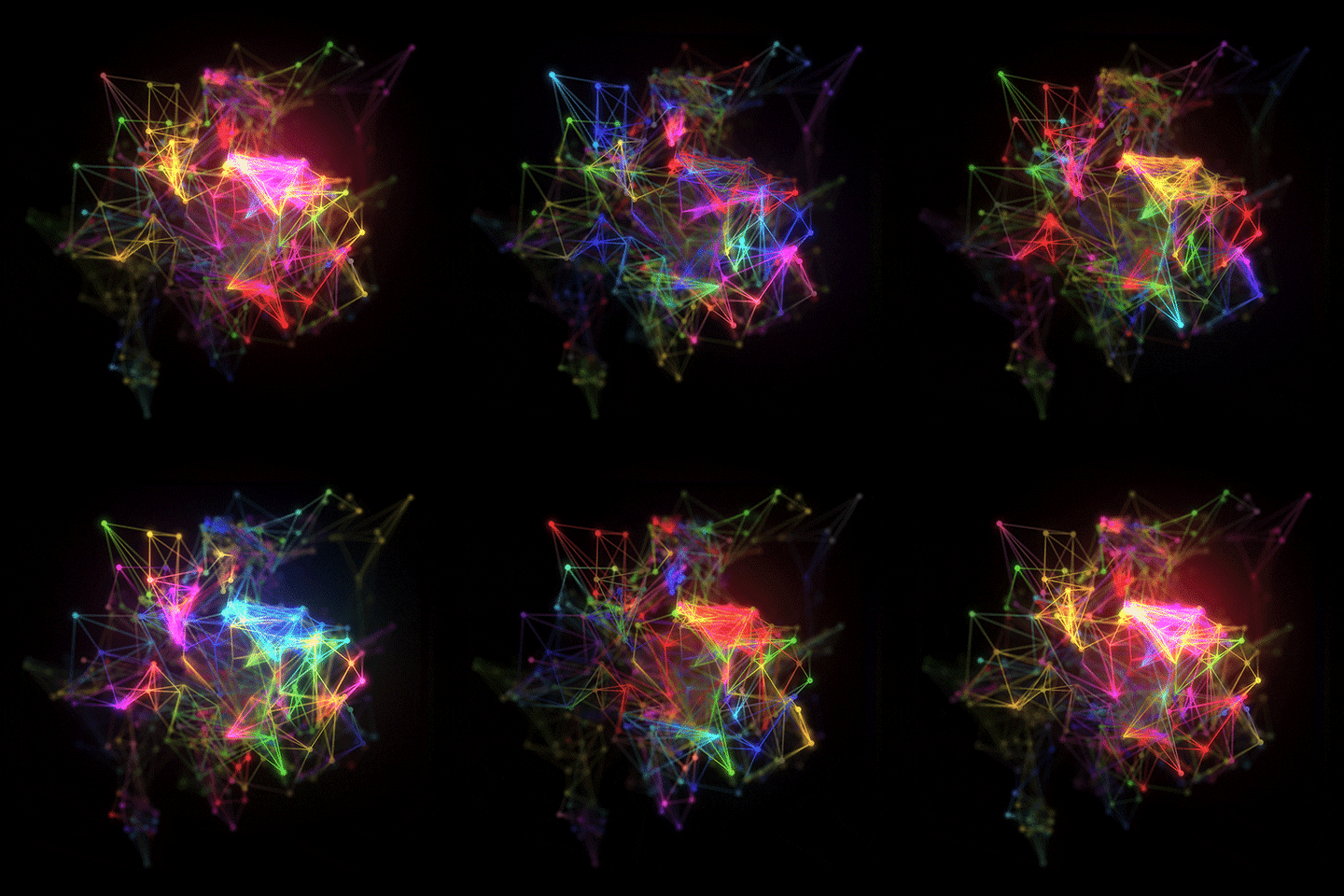
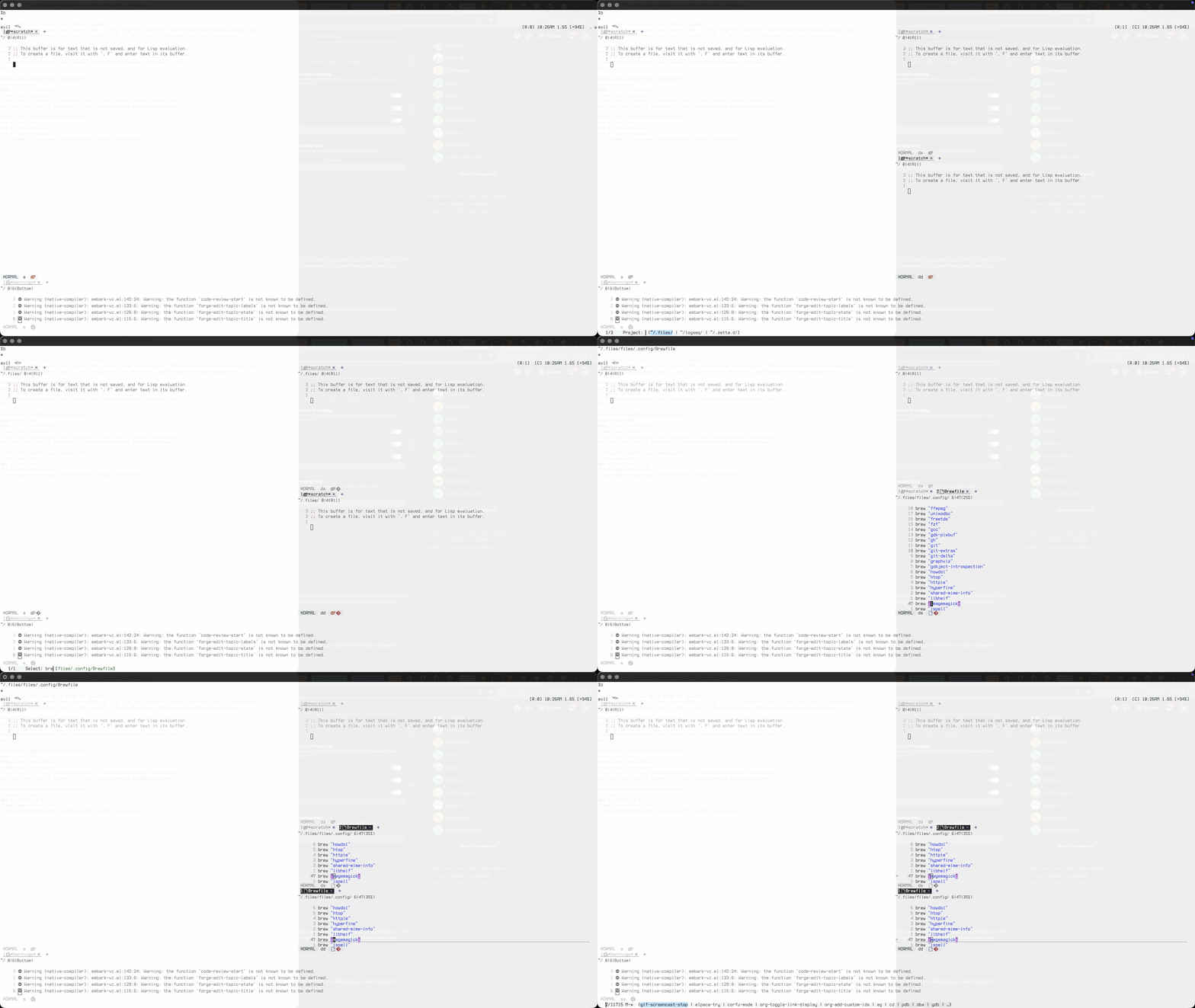
Here we demonstrate how GIFs can be displayed. These are useful for demonstrating usage of UI features, and also for entertainment value. Emacs has nice packages (like gif-screencast) that allow you to create GIF demonstrations of how to use your package, so I plan to use this feature for that. Also, GIFs can be used to spice up otherwise static content.
6.1. Local file
6.2. Remote file
These all come from graph GIPHY:
Note I am using a #+begin_export html in the org-document, as it let's me arrange images into arbitrary layouts using custom CSS. In this case, I'm using flexbox to create a grid of GIFs.


6.3. Interactive GIF
6.4. Video Demo
7. Interactive Data Visualizations
HTML charts are great for technical blogging. Personaly, I'm inspired by examples of digital journalism from the New York Times that use interactive charts to tell stories with data. The NYT builds these with D3.js, but plotly is a great alternative for people who don't want to code everything from scratch, and plotly is also built on top of D3.js. Plotly covers almost all chart types, and has great integration with python, R, and javascript, all concise languages which are excellent for demonsrtating the logic behind the data visualization in question. In fact, plotly beats D3 for this in my opinion, you wouldn't include D3 code in the blog as it is too verbose, whereas the plotly python APIs are concise (especially px).
Plotly is therefore my choice for adding interactive charts to my technical blog.
Here I demonstrate adding a plotly chart using org-babel and python. The code block below generates a plotly bar chart and saves it as an html file. The html file is then included in the blog using an iframe. Note there are probably better ways to do this, both from a viz generation and rendering perspective, but this is a good start, and unlocks ploty's full universe of chart types for my blog.
7.1. Bar chart
I'm leveraging utility functions that are defined in a custom python package – you'll see the import here
7.2. Dist Plot
7.3. Animattions
7.4. 3D charts
Note that I have not exported the plotly code here as there is a lot of it for the 9 3D charts below.
7.4.1. Output
7.5. TODO Arrangement
This doesn't show up in the webpage, but I can include html inline using #+beginexport html and #+endexport blocks in the org mode document. This is useful for insterting iframes (think previews of other websites, plotly charts, full webapps, etc…). html, js, and css can be included, here I'm using CSS grid too display iframes side my side.
8. Software Architecture Diagrams
Sometimes structure that needs to be described cannot be adequately represented using just text, tables, and lists. Diagrams are a great way to represent complex structures visually.
org-mermaid is a great extension to org-babel, that allows you to create mermaid diagrams-as-code within org-mode documents. ox then takes care of exporing the code, the output, or both.
The DAG is indespensible in most contexts, but espeically so in technical blogging. Being able to quickly and easily create diagrams to illustrate concepts is very useful, and the fact that I can maintain them with code is a dream.
Of course, you could use anything that outputs a chart (like diagrams), but mermaid is basically ubiquitous, so I try to use that as much as I can.
graph TD;
    A-->B;
    A-->C;
    B-->D;
    C-->D;
graph TD;
    A-->B;
    A-->C;
    B-->D;
    C-->D;
8.1. Diagram 1: Simple Microservices Architecture
graph TD;
    Client[Client Application]-->Gateway[API Gateway];
    Gateway-->AuthService[Auth Service];
    Gateway-->UserService[User Service];
    Gateway-->ProductService[Product Service];
    UserService-->UserDB[(User Database)];
    ProductService-->ProductDB[(Product Database)];
    AuthService-->Cache[(Redis Cache)];
8.2. Diagram 2: Event-Driven Architecture
graph TD;
    WebApp[Web Application]-->LoadBalancer[Load Balancer];
    MobileApp[Mobile Application]-->LoadBalancer;
    LoadBalancer-->APIGateway[API Gateway];
    APIGateway-->OrderService[Order Service];
    APIGateway-->PaymentService[Payment Service];
    APIGateway-->NotificationService[Notification Service];
    OrderService-->EventBus[Message Queue/Event Bus];
    PaymentService-->EventBus;
    NotificationService-->EventBus;
    EventBus-->InventoryService[Inventory Service];
    EventBus-->ShippingService[Shipping Service];
    EventBus-->AnalyticsService[Analytics Service];
    OrderService-->OrderDB[(Order DB)];
    PaymentService-->PaymentDB[(Payment DB)];
    InventoryService-->InventoryDB[(Inventory DB)];
    ShippingService-->ShippingDB[(Shipping DB)];
    AnalyticsService-->DataWarehouse[(Data Warehouse)];
8.3. Diagram 3: Cloud-Native Architecture with Kubernetes
graph TD;
    Users[Users]-->CDN[CDN];
    CDN-->Ingress[Ingress Controller];
    Ingress-->ServiceMesh[Service Mesh/Istio];
    ServiceMesh-->AuthPod[Auth Pod];
    ServiceMesh-->UserPod[User Service Pod];
    ServiceMesh-->OrderPod[Order Service Pod];
    ServiceMesh-->PaymentPod[Payment Service Pod];
    AuthPod-->ConfigMap[ConfigMap];
    AuthPod-->Secret[Secrets];
    UserPod-->UserStateful[User StatefulSet];
    OrderPod-->OrderStateful[Order StatefulSet];
    PaymentPod-->PaymentStateful[Payment StatefulSet];
    UserStateful-->PVC1[Persistent Volume];
    OrderStateful-->PVC2[Persistent Volume];
    PaymentStateful-->PVC3[Persistent Volume];
    ServiceMesh-->MessageQueue[RabbitMQ Cluster];
    MessageQueue-->WorkerPod1[Worker Pod 1];
    MessageQueue-->WorkerPod2[Worker Pod 2];
    MessageQueue-->WorkerPod3[Worker Pod 3];
    WorkerPod1-->ElasticSearch[ElasticSearch Cluster];
    WorkerPod2-->ElasticSearch;
    WorkerPod3-->ElasticSearch;
    ServiceMesh-->CacheCluster[Redis Cluster];
    ServiceMesh-->MonitoringStack[Prometheus + Grafana];
    MonitoringStack-->AlertManager[Alert Manager];
8.4. Diagram 4: Global Multi-Region Architecture
graph LR;
    GlobalUsers[Global Users]-->GlobalDNS[Global DNS/Route53];
    GlobalDNS-->USRegion[US-East Region];
    GlobalDNS-->EURegion[EU-West Region];
    GlobalDNS-->APRegion[Asia-Pacific Region];

    USRegion-->USCDN[US CDN/CloudFront];
    USCDN-->USALB[US Application Load Balancer];
    USALB-->USK8S[US Kubernetes Cluster];
    USK8S-->USServices[US Microservices];
    USServices-->USRDS[US RDS Multi-AZ];
    USServices-->USDynamo[US DynamoDB Global Table];
    USServices-->USKafka[US Kafka Cluster];

    EURegion-->EUCDN[EU CDN/CloudFront];
    EUCDN-->EUALB[EU Application Load Balancer];
    EUALB-->EUK8S[EU Kubernetes Cluster];
    EUK8S-->EUServices[EU Microservices];
    EUServices-->EURDS[EU RDS Multi-AZ];
    EUServices-->EUDynamo[EU DynamoDB Global Table];
    EUServices-->EUKafka[EU Kafka Cluster];

    APRegion-->APCDN[AP CDN/CloudFront];
    APCDN-->APALB[AP Application Load Balancer];
    APALB-->APK8S[AP Kubernetes Cluster];
    APK8S-->APServices[AP Microservices];
    APServices-->APRDS[AP RDS Multi-AZ];
    APServices-->APDynamo[AP DynamoDB Global Table];
    APServices-->APKafka[AP Kafka Cluster];

    USDynamo<-->EUDynamo;
    EUDynamo<-->APDynamo;
    USDynamo<-->APDynamo;

    USKafka-->GlobalStream[Global Kinesis Data Stream];
    EUKafka-->GlobalStream;
    APKafka-->GlobalStream;

    GlobalStream-->DataLake[S3 Data Lake];
    DataLake-->MLPipeline[SageMaker ML Pipeline];
    DataLake-->BatchProcessing[EMR Batch Processing];
    DataLake-->RealtimeAnalytics[Kinesis Analytics];

    USK8S-->Monitoring[Global Monitoring Stack];
    EUK8S-->Monitoring;
    APK8S-->Monitoring;
    Monitoring-->Datadog[Datadog/NewRelic];
    Monitoring-->PagerDuty[PagerDuty Alerts];

    USServices-->GlobalAuth[Global Auth0/Okta];
    EUServices-->GlobalAuth;
    APServices-->GlobalAuth;
9. Code literateProgramming
Rendering and executing code is a critical feature for technical blogging.
Because of org-mode's babel system, code blocks can be included in the document. These can be executed either as you write, or when the document is exported, and the results can be included in the output.
This process of writing code, output, and narrative text together is called literate programming, and is a powerful way to communicate technical concepts.
My main languages are bash, elisp, python, R, SQL, and javascript/TypeScript. Having a way to include code snippets that can be executed and have the results included in the document is very useful for technical blogging.
org-babel is very powerful and flexible, and you can think of it like a language-agnostic form of Jupyter Notebooks.
Here are a couple of useful examples.
9.1. bash
Here's an interesting bash script that implements the Sieve of Eratosthenes algorithm to find prime numbers and visualizes them with ASCII art6:
#!/bin/bash

# Sieve of Eratosthenes with Simple Text Visualization
# Finds all prime numbers up to a given limit and creates a visual representation

LIMIT=100
echo "=== Sieve of Eratosthenes: Finding Primes up to $LIMIT ==="
echo

# Initialize array - 1 means potential prime, 0 means composite
declare -a sieve
for ((i=0; i<=LIMIT; i++)); do
    sieve[i]=1
done

# 0 and 1 are not prime
sieve[0]=0
sieve[1]=0

# Implement sieve algorithm
for ((p=2; p*p<=LIMIT; p++)); do
    if [[ ${sieve[p]} -eq 1 ]]; then
        # Mark all multiples of p as composite
        for ((i=p*p; i<=LIMIT; i+=p)); do
            sieve[i]=0
        done
    fi
done

# Collect primes and create visualization
primes=()
echo "Prime Visualization (P = prime, . = composite):"
echo "+---------------------+"

# Create visual grid (10 numbers per row, starting from 2)
for ((row=0; row<10; row++)); do
    printf "| "
    for ((col=0; col<10; col++)); do
        num=$((row * 10 + col + 2))
        if [[ $num -le $LIMIT ]]; then
            if [[ ${sieve[num]} -eq 1 ]]; then
                primes+=($num)
                printf "P "
            else
                printf ". "
            fi
        else
            printf "  "
        fi
    done
    printf "|\n"
done

echo "+---------------------+"
echo

# Create a numbered reference grid with proper spacing
echo "Number Reference Grid:"
echo "+-------------------------------+"
for ((row=0; row<10; row++)); do
    printf "| "
    for ((col=0; col<10; col++)); do
        num=$((row * 10 + col + 2))
        if [[ $num -le $LIMIT ]]; then
            printf "%2d " $num
        else
            printf "   "
        fi
    done
    printf "|\n"
done
echo "+-------------------------------+"
echo

# Statistics
echo "PRIME STATISTICS:"
echo "  Total numbers checked: $LIMIT"
echo "  Primes found: ${#primes[@]}"
density=$(echo "scale=1; ${#primes[@]}*100/$LIMIT" | bc -l 2>/dev/null || echo "25.0")
echo "  Density: ${density}%"
echo

# Show all primes in groups of 10
echo "All Primes Found:"
printf "  "
for ((i=0; i<${#primes[@]}; i++)); do
    printf "%3d " ${primes[i]}
    if [[ $(((i+1) % 10)) -eq 0 ]]; then
        printf "\n  "
    fi
done
echo
echo

# Find twin primes (primes that differ by 2)
echo "Twin Prime Pairs (p, p+2):"
printf "  "
count=0
for ((i=0; i<${#primes[@]}-1; i++)); do
    current=${primes[i]}
    next=${primes[i+1]}
    if [[ $((next - current)) -eq 2 ]]; then
        printf "(%d,%d) " $current $next
        ((count++))
        if [[ $((count % 4)) -eq 0 ]]; then
            printf "\n  "
        fi
    fi
done
echo
echo "  Found $count twin prime pairs"
echo

# Prime gaps analysis
echo "Prime Gap Analysis:"
max_gap=0
gap_start=0
gap_end=0
echo "  Gaps larger than 4:"
printf "  "
gap_count=0
for ((i=0; i<${#primes[@]}-1; i++)); do
    gap=$((${primes[i+1]} - ${primes[i]}))
    if [[ $gap -gt $max_gap ]]; then
        max_gap=$gap
        gap_start=${primes[i]}
        gap_end=${primes[i+1]}
    fi
    if [[ $gap -gt 4 ]]; then
        printf "%d->%d(gap:%d) " ${primes[i]} ${primes[i+1]} $gap
        ((gap_count++))
        if [[ $((gap_count % 3)) -eq 0 ]]; then
            printf "\n  "
        fi
    fi
done
echo
echo "  Largest gap: $max_gap (between $gap_start and $gap_end)"

echo
echo "Algorithm completed successfully!"
echo "Time complexity: O(n log log n)"
echo "Space complexity: O(n)"
=== Sieve of Eratosthenes: Finding Primes up to 100 ===

Prime Visualization (P = prime, . = composite):
+---------------------+
| P P . P . P . . . P |
| . P . . . P . P . . |
| . P . . . . . P . P |
| . . . . . P . . . P |
| . P . . . P . . . . |
| . P . . . . . P . P |
| . . . . . P . . . P |
| . P . . . . . P . . |
| . P . . . . . P . . |
| . . . . . P . . .   |
+---------------------+

Number Reference Grid:
+-------------------------------+
|  2  3  4  5  6  7  8  9 10 11 |
| 12 13 14 15 16 17 18 19 20 21 |
| 22 23 24 25 26 27 28 29 30 31 |
| 32 33 34 35 36 37 38 39 40 41 |
| 42 43 44 45 46 47 48 49 50 51 |
| 52 53 54 55 56 57 58 59 60 61 |
| 62 63 64 65 66 67 68 69 70 71 |
| 72 73 74 75 76 77 78 79 80 81 |
| 82 83 84 85 86 87 88 89 90 91 |
| 92 93 94 95 96 97 98 99 100   |
+-------------------------------+

PRIME STATISTICS:
  Total numbers checked: 100
  Primes found: 25
  Density: 25.0%

All Primes Found:
    2   3   5   7  11  13  17  19  23  29
   31  37  41  43  47  53  59  61  67  71
   73  79  83  89  97

Twin Prime Pairs (p, p+2):
  (3,5) (5,7) (11,13) (17,19)
  (29,31) (41,43) (59,61) (71,73)

  Found 8 twin prime pairs

Prime Gap Analysis:
  Gaps larger than 4:
  23->29(gap:6) 31->37(gap:6) 47->53(gap:6)
  53->59(gap:6) 61->67(gap:6) 73->79(gap:6)
  83->89(gap:6) 89->97(gap:8)
  Largest gap: 8 (between 89 and 97)

Algorithm completed successfully!
Time complexity: O(n log log n)
Space complexity: O(n)
9.2. python
9.2.1. TODO (add language) using venv virtualEnvironments
Venvs are set in the .dir-locals.el file for this project. This allows different code blocks to use different virtual environments.
9.2.2. Code example
This is how you write code with python7
from dataclasses import dataclass

from polyfactory.factories import DataclassFactory


@dataclass
class Person:
    name: str
    age: float
    height: float
    weight: float


class PersonFactory(DataclassFactory[Person]):
    ...


person_instance = PersonFactory.build()
print(person_instance)
Person(name='JmjUtskpYrdRYTTbRirA', age=1728311337.84688, height=52.7746341086379, weight=-618160.650763342)
9.2.3. TODO using multiple venvs via session
Use case is actually comomon – demonosrating he difference between two versions of a library, demonstrating a dependency issue.
10. Transclusion transclusion
The subheading Demo heading is actually 'transcluded' text from another post on this blog. In other words, this is a verbatim section, from another article on this blog, that I have embedded visually here (you can verify this by going to that aricle and reading this same text here).
This is made possible by org-mode's built in file inclusion feature.
See the transclusion below - again, this heading is pulled straight out of
10.1. Demo heading
This is a demo post – This content is written in post1.org but is actually intended to be transcluded from another file (post0.org). That's why you utlimately see this content here.
10.2. TODO transclusion styling
Transcluded sections are styled differently to signal to the user that a verbatim section from a separate article is being referenced.
12. Links
My blog's Raison d'être is to allow me to share knowledge with others. Links are a critical part of this, as they allow me to reference other content, both within my own blog and externally.
As such, my blog is aware of the different 'types' of links and visually distinguishes between them (nyi).
12.1. Link types
Note this list is incomprehensive, and defined by me, but it works for my purposes.
12.1.1. Intra-post links
It is possible and useful to link to different sections within a single post. This is done using standard org-mode link syntax.
Example: Why use tags?.
12.1.2. Inter-post links
I can link to other sections in the document.
Example: Post 1
12.1.3. External links
Note that external links appear in the bibliography section in the deskop version of the blog.
12.1.4. Pseudo links
Some things are clickable and open gates to other content, like the [[*** Tags][tags]] HUD component, the [[*** *Full text search*]], and the [[*** *Post navigation*]]. These are not really links, but they behave like links, so I style them as such.
Not everything clickable is style like a link – buttons, for example, are not styled like links. Headings, which are clickable to collapse/expand sections, are also not styled like links. The heuristic is that anything that could take you to anothe piece of conetnt gets styled like a link.
12.2. Link styling
Internal links should be rendered differetly than external links as so the user knows ahead of time if a reference is within the blog or outside.
Anchor links are rendererd with dotted underlines, links to posts within this blog are rendered with solid underlines, and external links are as typical links with solid underlines.
12.3. TODO Link previews
It is useful to see a preview of a link before clicking on it – maybe you're just curious what the page looks like, or more practically, maybe you want to quickly gleen the information from a popup withouot navigating away from the current page, disrupting your reading flow. Wikipedia's navigation popups are a great example of this feature in action, and google has something similar you can enable in chrome.
While useful, these only let you preview 1 degree out from you current address. What would be even more useful is a way to preview links recursively, so you could see the content of links within links, and so on. This would allow you to quickly navigate through a web of content without ever leaving the current page.
This is implemented here for all links – simply hover over any link to see a preview of the content.
13. Structured text (tables, lists, sub and superscripts)
13.1. tables
| Country | Population (millions) | Continent |
|---|---|---|
| China | 1420 | Asia |
| India | 1400 | Asia |
| USA | 332 | North America |
| Brazil | 215 | South America |
| Nigeria | 216 | Africa |
| Month | Sales ($) | Growth (%) |
|---|---|---|
| Jan | 12,000 | 5.0 |
| Feb | 14,050 | 17.1 |
| Mar | 13,500 | -3.9 |
| Apr | 15,200 | 12.6 |
| Feature | Svelte 5 Support | Notes |
|---|---|---|
| Reactivity | Yes | Automatic & simple |
| TypeScript Support | Yes | Built-in, first-class |
| Transitions | Yes | Easy to use animations |
| Stores | Yes | Simple shared state |
| Actions | Yes | Custom DOM behaviors |
This one is a really big table and demonstrates the scrolling behavior for wide tables.
| sepallength | sepalwidth | petallength | petalwidth | species |
|---|---|---|---|---|
| 5.1 | 3.5 | 1.4 | 0.2 | setosa |
| 4.9 | 3.0 | 1.4 | 0.2 | setosa |
| 4.7 | 3.2 | 1.3 | 0.2 | setosa |
| 4.6 | 3.1 | 1.5 | 0.2 | setosa |
| 5.0 | 3.6 | 1.4 | 0.2 | setosa |
| 5.4 | 3.9 | 1.7 | 0.4 | setosa |
| 4.6 | 3.4 | 1.4 | 0.3 | setosa |
| 5.0 | 3.4 | 1.5 | 0.2 | setosa |
| 4.4 | 2.9 | 1.4 | 0.2 | setosa |
| 4.9 | 3.1 | 1.5 | 0.1 | setosa |
| 5.4 | 3.7 | 1.5 | 0.2 | setosa |
| 4.8 | 3.4 | 1.6 | 0.2 | setosa |
| 4.8 | 3.0 | 1.4 | 0.1 | setosa |
| 4.3 | 3.0 | 1.1 | 0.1 | setosa |
| 5.8 | 4.0 | 1.2 | 0.2 | setosa |
| 5.7 | 4.4 | 1.5 | 0.4 | setosa |
| 5.4 | 3.9 | 1.3 | 0.4 | setosa |
| 5.1 | 3.5 | 1.4 | 0.3 | setosa |
| 5.7 | 3.8 | 1.7 | 0.3 | setosa |
| 5.1 | 3.8 | 1.5 | 0.3 | setosa |
| 5.4 | 3.4 | 1.7 | 0.2 | setosa |
| 5.1 | 3.7 | 1.5 | 0.4 | setosa |
| 4.6 | 3.6 | 1.0 | 0.2 | setosa |
| 5.1 | 3.3 | 1.7 | 0.5 | setosa |
| 4.8 | 3.4 | 1.9 | 0.2 | setosa |
| 5.0 | 3.0 | 1.6 | 0.2 | setosa |
| 5.0 | 3.4 | 1.6 | 0.4 | setosa |
| 5.2 | 3.5 | 1.5 | 0.2 | setosa |
| 5.2 | 3.4 | 1.4 | 0.2 | setosa |
| 4.7 | 3.2 | 1.6 | 0.2 | setosa |
| 4.8 | 3.1 | 1.6 | 0.2 | setosa |
| 5.4 | 3.4 | 1.5 | 0.4 | setosa |
| 5.2 | 4.1 | 1.5 | 0.1 | setosa |
| 5.5 | 4.2 | 1.4 | 0.2 | setosa |
| 4.9 | 3.1 | 1.5 | 0.1 | setosa |
| 5.0 | 3.2 | 1.2 | 0.2 | setosa |
| 5.5 | 3.5 | 1.3 | 0.2 | setosa |
| 4.9 | 3.1 | 1.5 | 0.1 | setosa |
| 4.4 | 3.0 | 1.3 | 0.2 | setosa |
| 5.1 | 3.4 | 1.5 | 0.2 | setosa |
| 5.0 | 3.5 | 1.3 | 0.3 | setosa |
| 4.5 | 2.3 | 1.3 | 0.3 | setosa |
| 4.4 | 3.2 | 1.3 | 0.2 | setosa |
| 5.0 | 3.5 | 1.6 | 0.6 | setosa |
| 5.1 | 3.8 | 1.9 | 0.4 | setosa |
| 4.8 | 3.0 | 1.4 | 0.3 | setosa |
| 5.1 | 3.8 | 1.6 | 0.2 | setosa |
| 4.6 | 3.2 | 1.4 | 0.2 | setosa |
| 5.3 | 3.7 | 1.5 | 0.2 | setosa |
| 5.0 | 3.3 | 1.4 | 0.2 | setosa |
| 7.0 | 3.2 | 4.7 | 1.4 | versicolor |
| 6.4 | 3.2 | 4.5 | 1.5 | versicolor |
| 6.9 | 3.1 | 4.9 | 1.5 | versicolor |
| 5.5 | 2.3 | 4.0 | 1.3 | versicolor |
| 6.5 | 2.8 | 4.6 | 1.5 | versicolor |
| 5.7 | 2.8 | 4.5 | 1.3 | versicolor |
| 6.3 | 3.3 | 4.7 | 1.6 | versicolor |
| 4.9 | 2.4 | 3.3 | 1.0 | versicolor |
| 6.6 | 2.9 | 4.6 | 1.3 | versicolor |
| 5.2 | 2.7 | 3.9 | 1.4 | versicolor |
| 5.0 | 2.0 | 3.5 | 1.0 | versicolor |
| 5.9 | 3.0 | 4.2 | 1.5 | versicolor |
| 6.0 | 2.2 | 4.0 | 1.0 | versicolor |
| 6.1 | 2.9 | 4.7 | 1.4 | versicolor |
| 5.6 | 2.9 | 3.6 | 1.3 | versicolor |
| 6.7 | 3.1 | 4.4 | 1.4 | versicolor |
| 5.6 | 3.0 | 4.5 | 1.5 | versicolor |
| 5.8 | 2.7 | 4.1 | 1.0 | versicolor |
| 6.2 | 2.2 | 4.5 | 1.5 | versicolor |
| 5.6 | 2.5 | 3.9 | 1.1 | versicolor |
| 5.9 | 3.2 | 4.8 | 1.8 | versicolor |
| 6.1 | 2.8 | 4.0 | 1.3 | versicolor |
| 6.3 | 2.5 | 4.9 | 1.5 | versicolor |
| 6.1 | 2.8 | 4.7 | 1.2 | versicolor |
| 6.4 | 2.9 | 4.3 | 1.3 | versicolor |
| 6.6 | 3.0 | 4.4 | 1.4 | versicolor |
| 6.8 | 2.8 | 4.8 | 1.4 | versicolor |
| 6.7 | 3.0 | 5.0 | 1.7 | versicolor |
| 6.0 | 2.9 | 4.5 | 1.5 | versicolor |
| 5.7 | 2.6 | 3.5 | 1.0 | versicolor |
| 5.5 | 2.4 | 3.8 | 1.1 | versicolor |
| 5.5 | 2.4 | 3.7 | 1.0 | versicolor |
| 5.8 | 2.7 | 3.9 | 1.2 | versicolor |
| 6.0 | 2.7 | 5.1 | 1.6 | versicolor |
| 5.4 | 3.0 | 4.5 | 1.5 | versicolor |
| 6.0 | 3.4 | 4.5 | 1.6 | versicolor |
| 6.7 | 3.1 | 4.7 | 1.5 | versicolor |
| 6.3 | 2.3 | 4.4 | 1.3 | versicolor |
| 5.6 | 3.0 | 4.1 | 1.3 | versicolor |
| 5.5 | 2.5 | 4.0 | 1.3 | versicolor |
| 5.5 | 2.6 | 4.4 | 1.2 | versicolor |
| 6.1 | 3.0 | 4.6 | 1.4 | versicolor |
| 5.8 | 2.6 | 4.0 | 1.2 | versicolor |
| 5.0 | 2.3 | 3.3 | 1.0 | versicolor |
| 5.6 | 2.7 | 4.2 | 1.3 | versicolor |
| 5.7 | 3.0 | 4.2 | 1.2 | versicolor |
| 5.7 | 2.9 | 4.2 | 1.3 | versicolor |
| 6.2 | 2.9 | 4.3 | 1.3 | versicolor |
| 5.1 | 2.5 | 3.0 | 1.1 | versicolor |
| 5.7 | 2.8 | 4.1 | 1.3 | versicolor |
| 6.3 | 3.3 | 6.0 | 2.5 | virginica |
| 5.8 | 2.7 | 5.1 | 1.9 | virginica |
| 7.1 | 3.0 | 5.9 | 2.1 | virginica |
| 6.3 | 2.9 | 5.6 | 1.8 | virginica |
| 6.5 | 3.0 | 5.8 | 2.2 | virginica |
| 7.6 | 3.0 | 6.6 | 2.1 | virginica |
| 4.9 | 2.5 | 4.5 | 1.7 | virginica |
| 7.3 | 2.9 | 6.3 | 1.8 | virginica |
| 6.7 | 2.5 | 5.8 | 1.8 | virginica |
| 7.2 | 3.6 | 6.1 | 2.5 | virginica |
| 6.5 | 3.2 | 5.1 | 2.0 | virginica |
| 6.4 | 2.7 | 5.3 | 1.9 | virginica |
| 6.8 | 3.0 | 5.5 | 2.1 | virginica |
| 5.7 | 2.5 | 5.0 | 2.0 | virginica |
| 5.8 | 2.8 | 5.1 | 2.4 | virginica |
| 6.4 | 3.2 | 5.3 | 2.3 | virginica |
| 6.5 | 3.0 | 5.5 | 1.8 | virginica |
| 7.7 | 3.8 | 6.7 | 2.2 | virginica |
| 7.7 | 2.6 | 6.9 | 2.3 | virginica |
| 6.0 | 2.2 | 5.0 | 1.5 | virginica |
| 6.9 | 3.2 | 5.7 | 2.3 | virginica |
| 5.6 | 2.8 | 4.9 | 2.0 | virginica |
| 7.7 | 2.8 | 6.7 | 2.0 | virginica |
| 6.3 | 2.7 | 4.9 | 1.8 | virginica |
| 6.7 | 3.3 | 5.7 | 2.1 | virginica |
| 7.2 | 3.2 | 6.0 | 1.8 | virginica |
| 6.2 | 2.8 | 4.8 | 1.8 | virginica |
| 6.1 | 3.0 | 4.9 | 1.8 | virginica |
| 6.4 | 2.8 | 5.6 | 2.1 | virginica |
| 7.2 | 3.0 | 5.8 | 1.6 | virginica |
| 7.4 | 2.8 | 6.1 | 1.9 | virginica |
| 7.9 | 3.8 | 6.4 | 2.0 | virginica |
| 6.4 | 2.8 | 5.6 | 2.2 | virginica |
| 6.3 | 2.8 | 5.1 | 1.5 | virginica |
| 6.1 | 2.6 | 5.6 | 1.4 | virginica |
| 7.7 | 3.0 | 6.1 | 2.3 | virginica |
| 6.3 | 3.4 | 5.6 | 2.4 | virginica |
| 6.4 | 3.1 | 5.5 | 1.8 | virginica |
| 6.0 | 3.0 | 4.8 | 1.8 | virginica |
| 6.9 | 3.1 | 5.4 | 2.1 | virginica |
| 6.7 | 3.1 | 5.6 | 2.4 | virginica |
| 6.9 | 3.1 | 5.1 | 2.3 | virginica |
| 5.8 | 2.7 | 5.1 | 1.9 | virginica |
| 6.8 | 3.2 | 5.9 | 2.3 | virginica |
| 6.7 | 3.3 | 5.7 | 2.5 | virginica |
| 6.7 | 3.0 | 5.2 | 2.3 | virginica |
| 6.3 | 2.5 | 5.0 | 1.9 | virginica |
| 6.5 | 3.0 | 5.2 | 2.0 | virginica |
| 6.2 | 3.4 | 5.4 | 2.3 | virginica |
| 5.9 | 3.0 | 5.1 | 1.8 | virginica |
Wide table:
| Column 1 | Column 2 | Column 3 | Column 4 | Column 5 | Column 6 | Column 7 | Column 8 | Column 9 | Column 10 | Column 11 | Column 12 | Column 13 | Column 14 | Column 15 |
|---|---|---|---|---|---|---|---|---|---|---|---|---|---|---|
| 1 | 2 | 3 | 4 | 5 | 6 | 7 | 8 | 9 | 10 | 11 | 12 | 13 | 14 | 15 |
| 16 | 17 | 18 | 19 | 20 | 21 | 22 | 23 | 24 | 25 | 26 | 27 | 28 | 29 | 30 |
| 31 | 32 | 33 | 34 | 35 | 36 |
13.1.1. TODO implement horizontal scrolling for when tables are too wide
13.2. lists
13.2.1. bullets
- one
- two
- two point one
- two point two
- three
- three point one
- three point two
13.2.2. numbers
- first
- second
- hello worrld
- second point two
13.2.3. formatting
- some bold text
- some italic text
- some underline text
- some
striketext - some
codetext - some
verbatimtext - some
*bold in code*text - some
/italic in verbatim/text - some
_underline in verbatim_text - some =~code in verbatim=~ text
- some
+strike in verbatim+text - some bold italic underline
strikecodeverbatimtext
13.2.3.1. TODO fix underline style
14. Narrative features
Org of course has many features for structuring content.
This entire document is written in org-mode outline format, with headings and subheadings. These levels of the hierarchy are rendered as different sized headings in the html output.
14.1. Text
14.1.1. Long paragraph
This is a long paragraph – note that it contains a footnote. This is a good test of the styling for footnotes – they should jump out, even when buried in text (not yet implemented). Here's some good old lorem ipsum:
lorem ipsum dolor sit amet, consectetur adipiscing elit, sed do eiusmod tempor incididunt ut labore et dolore magna aliqua. Ut enim ad minim veniam, quis nostrud exercitation ullamco laboris nisi ut aliquip ex ea commodo consequat. Duis aute irure dolor in reprehenderit in voluptate velit esse cillum dolore eu fugiat nulla pariatur. Excepteur sint occaecat cupidatat non proident, sunt in culpa qui officia deserunt mollit anim8 id est laborum. Sed ut perspiciatis unde omnis iste natus error sit voluptatem accusantium doloremque laudantium, totam rem aperiam, eaque ipsa quae ab illo inventore veritatis et quasi architecto beatae vitae dicta sunt explicabo. Nemo enim ipsam voluptatem quia voluptas sit aspernatur aut odit aut fugit, sed quia consequuntur magni dolores eos qui ratione voluptatem sequi nesciunt. Neque porro quisquam est, qui dolorem ipsum quia dolor sit amet, consectetur, adipisci velit, sed quia non numquam eius modi tempora incidunt ut labore et dolore magnam aliquam quaerat voluptatem. Ut enim ad minima veniam, quis nostrum exercitationem ullam corporis suscipit laboriosam, nisi ut aliquid ex ea commodi consequatur? Quis autem vel eum iure reprehenderit qui in ea voluptate velit esse quam nihil molestiae consequatur, vel illum qui dolorem eum fugiat quo voluptas nulla pariatur?
14.1.2. Quote
org has features for verse, blockquote, and centering text. The html exporter I use doesn't style these, so I add rules to css to make them look different. Note that you can include links in quotes, which is nice for direct attribution.
14.1.2.1. Pull quotes
This is some quote in a #+beginquote block. It is given attributes that are used by the blog site in order to create quotes that standout similar to how quotes standout in magazines. This is useful for especially impactful statements that I want to grab the user's attention.
The Web as I envisaged it, we have not seen it yet. The future is still so much bigger than the past ---Tim Berners-Lee
Pull quotes work by floating the blockquote to the left or right, allowing the surrounding paragraph text to wrap around the callout. Use #+ATTR_HTML: :class pull-quote pull-right before a #+begin_quote block to float it right, or pull-left (or omit the direction) to float left. The quote renders in large italic text with a decorative opening quotation mark. On mobile devices the float is disabled and the quote stacks normally at full width. This paragraph demonstrates how body text flows around the floated element — the wrapping effect creates the magazine-style layout that makes important statements visually prominent while keeping the reading flow natural.
14.1.2.2. Other
Here's one of my favourite quotes – I think about this all the time. This is text in a #+BEGINVERSE block. It gets compiles as p.verse:
Perfection is achieved, not when there is nothing more to add, but when there is nothing left to take away
---Antoine de Saint-Exupéry
This is some text in a #+begincenter block. It gets compiles as p.org-center:
This text is centered.
This is some more regular text.
15. View customization
There are many ways to customize the view when you are reading the blog post
15.1. Font
There is a font button at the top of the page which allows you to select between different fonts. By default, I'm using terminus, but you can choose between other pleasing monospace, serif, and sans-serif fonts.
15.2. Text scale
By default I render the main article view as so roughly 66 characters display in each line, which is in line with paper print conventions, but you can use your browser to increase and decrease text scale.
15.3. Light/Dark mode
You can also modify the light/dark mode setting. All images, diagrams, and interactive visualizations are compatible with these modes.
15.4. Colorblind settings
If you have color blindness, you can modify the colors to match your exact kind of color blindness, and you can even set the color scale to grayscale if you can't see color at all. All images, diagrams, and interactive visualizations are compatible with these modes.
15.5. Foldable headings
All headings are foldable – you can click headings to hide/show their content. You can press Shift-Tab to hide show all headings at various levels, which can help to get a birds eye view of the content and only display content that is relevant or interesting to you.
16. Images
16.1. DONE local file (png)

16.2. DONE remote file (svg)
(not rendered) In org mode, you can include captions and html attributes to change the size of the image

Figure 2: A remote image
17. Styling
Styling is applied mostly at the Svelte level, but org-mode does allow some inline styling options.
17.1. inline css
CSS can be included inline in the org file using the export block. This block doesn't render in the document as html markup, it becomes part of the document itself.
Here's the code I embedded in the org-document in a #+beginexport html block to style TODO items in pink monospace font:
<style>
  .todo { font-family: monospace; color: pink; }
</style>
18. Adding footnotes
19. Iconography icons
Icons can be included inline. Here I'm using the file-icons github repo. You can see all the icons here.
20. YouTube Video Embeds video media
This blog supports embedding YouTube videos directly in posts using a custom org-mode link type. Videos are embedded as responsive iframes using youtube-nocookie.com for privacy (no tracking cookies).
20.1. Basic Embed
The simplest way to embed a video is using just the video ID:
[[youtube:aqz-KE-bpKQ][Big Buck Bunny]]
Which renders as:
20.2. Using Full URLs
You can also use full YouTube URLs - the video ID is automatically extracted:
[[youtube:https://www.youtube.com/watch?v=aqz-KE-bpKQ][Big Buck Bunny (full URL)]]
20.3. Short Alias
For convenience, yt: works as a shorter alias:
[[yt:aqz-KE-bpKQ][Short alias example]]
The embed is responsive and maintains a 16:9 aspect ratio on all screen sizes.
22. Glossary glossary
- HUD
- Heads-Up Display. The contextual sideline components surrounding the article that provide navigation, search, and metadata at a glance.
- Org Mode
- A major mode for Emacs that provides tools for keeping notes, maintaining TODO lists, and authoring documents with a fast and effective plain-text markup language.
- SvelteKit
- A full-stack framework built on top of Svelte for building web applications with server-side rendering, routing, and other production features.
- Treemap
- A visualization that displays hierarchical data as nested rectangles, where each rectangle's area is proportional to the data it represents. Used here to show article section sizes.
- Transclusion
- The inclusion of content from one document inside another by reference, so the same source text appears in multiple places without duplication.
- Literate Programming
- A programming paradigm where code is embedded within human-readable documentation, allowing programs to be written as narratives that interleave explanation with executable source code.
- Plotly
- An open-source graphing library for creating interactive, publication-quality charts and visualizations in the browser.
- Mermaid
- A JavaScript-based diagramming tool that renders Markdown-inspired text definitions into diagrams and flowcharts dynamically.
- Minimap
- A scaled-down overview of the entire article displayed in the sidebar, showing your current scroll position and providing a bird's-eye view of the document structure.
23. tldr
This page demonstrates a comprehensive blogging framework built with Emacs Org Mode and SvelteKit, featuring an innovative heads-up-display (HUD) that enhances reading comprehension through contextual sideline components. The HUD system includes a table of contents, footnotes, references, social media links, TLDR summary, tags, minimap, full-text search, breadcrumbs, and progress bar - all of which dynamically update as you scroll through the content.
The framework showcases extensive support for interactive data visualizations using Plotly, including bar charts, distribution plots, animations, and 3D visualizations that rival professional digital journalism platforms. Software architecture diagrams are created using Mermaid, enabling code-based maintenance of complex technical illustrations from simple microservices to global multi-region architectures.
Literate programming capabilities are demonstrated through org-babel integration, allowing executable code blocks in multiple languages including bash, Python, and others, with results embedded directly in the document. The fancy text features include LaTeX math rendering for complex equations spanning various mathematical and physics domains.
Content organization leverages hierarchical tagging at the header level for non-hierarchical content relationships, while comprehensive link support distinguishes between intra-post, inter-post, and external references with appropriate visual styling. The transclusion feature enables embedding content from other posts verbatim, maintaining consistency across related articles.
Rich media support includes local and remote images, animated GIFs for UI demonstrations, and planned video integration. Structured text elements like tables (including wide tables with horizontal scrolling), various list formats, and footnotes are fully supported with proper HTML rendering.
Narrative features encompass long-form text with embedded footnotes, block quotes with attribution, verse blocks, and centered text, all with custom CSS styling. The framework includes extensive iconography support using file-icons for visual enhancement of technical content.
Styling capabilities allow inline CSS inclusion and custom formatting options, making the blog both functional and visually appealing. The entire system serves as both a working blog and a comprehensive feature demonstration, with progress tracking on headings showing completed (DONE) and in-progress (TODO) implementations.
Footnotes:
1
Both explicit relationships (like direct links from one post to another) and implicit relationships (like tags and semantic relationships) can be used to traverse the underlying content graph present in any wiki-style document system.
2
These TODO states are actually from org-mode. Note tha todo state change can be (and is in my configuration) being logged within the org document automatically, offering some ability to visualize progress over time of tasks defined wihin the document
3
Note I am using Svelte 5 and mostly Typescript for this project, so some syntax may be different than Svelte 3 and/or plain javascript examples you may find online.
4
This includes all the text, links, images, code blocks, footnotes, code, code outtput, and more. The benefits of using org-mode are beyond the scope of this demo, but you can read more about them here.
5
The sideline features only appear in the desktop version of the web app.
6
ASCII art works because I'm using a monospace bit-map font on my blog.
7
This is how to write code with python
8
new footnote
9
This is the footnote. lorem impsum dolor sit amet, consectetur adipiscing elit, sed do eiusmod tempor incididunt ut labore et dolore magna aliqua. Ut enim ad minim veniam, quis nostrud exercitation ullamco laboris nisi ut aliquip ex ea commodo consequat. Duis aute irure dolor in reprehenderit in voluptate velit esse cillum dolore eu fugiat nulla pariatur. Excepteur sint occaecat cupidatat non proident, sunt in culpa qui officia deserunt mollit anim id est laborum. Sed ut perspiciatis unde omnis iste natus error sit voluptatem accusantium doloremque laudantium, totam rem aperiam, eaque ipsa quae ab illo inventore veritatis et quasi architecto beatae vitae dicta sunt explicabo. Nemo enim ipsam voluptatem quia voluptas sit aspernatur aut odit aut fugit, sed quia consequuntur magni dolores eos qui ratione voluptatem sequi nesciunt. Neque porro quisquam est, qui dolorem ipsum quia dolor sit amet, consectetur, adipisci velit, sed quia non numquam eius modi tempora incidunt ut labore et dolore magnam aliquam quaerat voluptatem. Ut enim ad minima veniam, quis nostrum exercitationem ullam corporis suscipit laboriosam, nisi ut aliquid ex ea commodi consequatur? Quis autem vel eum iure reprehenderit qui in ea voluptate velit esse quam nihil molestiae consequatur, vel illum qui dolorem eum fugiat quo voluptas nulla pariatur?
10
even more
11
More footnotes