space-tree: Workspace Management Trees in Emacs
Table of Contents
- 1. TLDR tldr
- 2. About emacs workspaceManagement tooling
- 3. The workspace, an old idea workspaceManagement
- 4. Workspaces in Emacs emacs comparison
- 5. My needs, plainly stated workspaceManagement
- 6. Cognitive Psychology: Why Nesting Works cognitivePsychology workspaceManagement
- 7. The field, at a glance emacs comparison
- 8. How space-tree works emacs dataStructures
- 9. What space-tree Doesn't Do emacs tooling
- 10. Getting started emacs installation
1. TLDR tldr
space-tree (see code on GitHub) is a tree-based workspace manager for Emacs. Workspaces are a battle-tested UX concept across operating systems, but in Emacs and most OSes alike, they're flat: you get a row, a grid, or a numbered list, but never a workspace inside a workspace. My requirements for a workspace manager were arbitrary-depth nesting, no naming tax, no mandatory persistence, no per-workspace buffer scoping, and a build that leans on Emacs's existing window-state primitives. The cognitive-psychology case for hierarchical organization turns out to be unusually robust: working-memory ceilings (Cowan 2001), expert chunking (Chase & Simon 1973), and direct gains in recall (Bower et al. 1969) all support the idea that a user-authored tree is easier to hold in mind than the same work flattened into a list. The feature matrix places space-tree as the only workspace manager in this survey with arbitrary-depth structure, optional naming, and a deliberately session-only memory model. The implementation is a small amount of Elisp built on window-state-get / window-state-put, with a nested hash table for the tree shape, a flat hash table for window-state snapshots, and a sparse hash table for optional names. Getting started is a use-package block plus a Super-key keymap.
2. About emacs workspaceManagement tooling
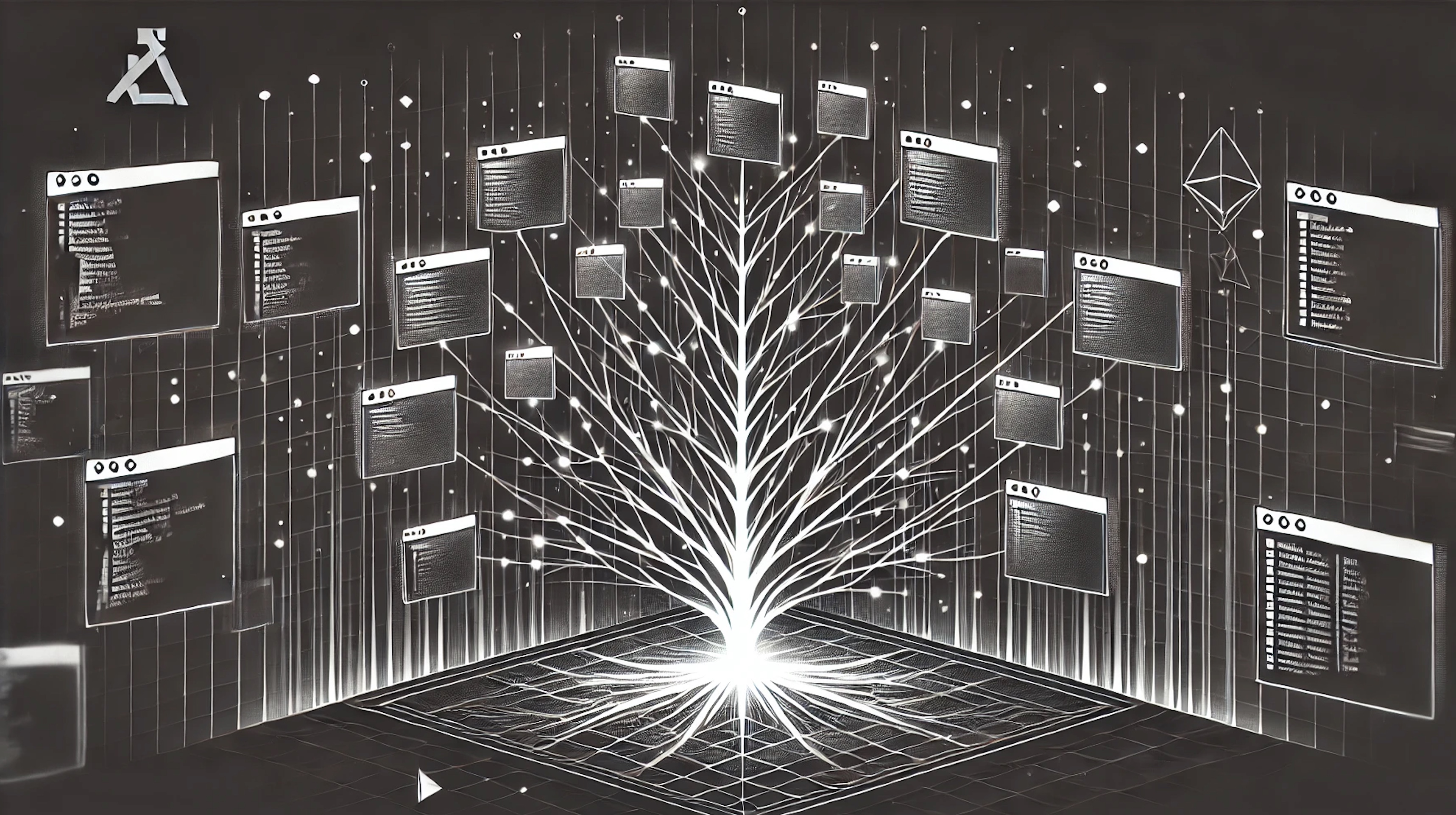
Figure 1: JPEG produced with OpenAI gpt-image-1
When we use our computers, the vagaries of day-to-day activities fill our displays with an unbounded number of applications. The chaos here has led to an overwhelming number of 'workspace management' tools.
I see these tools pop up everywhere in my daily computer use. macOS and Windows have workspace management solutions out-of-the-box. Linux has the venerable i3 (and btw, Aerospace is a great alternative for macOS users).
We see these solutions pop up even at the application level. Web browsers have tab-groups, and some, like Vivaldi 💜, even have first-class workspaces. Most complex applications like browsers, IDEs, DAWs, and image-manipulation programs also offer workspace management at the 'frame' level, where each visible frame is typically scoped to one or a set of projects.
Even AR devices (I'm looking at you Apple Vision Pro), offer workspace management, albeit in a hilariously silly way: the advent of AR technology has enabled you to misplace applications all around your house. You might leave your Chef in the kitchen, your CouchDB on the sofa, your Brew in the beer fridge, or (worst of all) your git porcelain in the bathroom.
Of course, Emacs offers several workspace management tools. Besides the built-in tab-bar, there is a delicious cornucopia of 3rd party solutions (7 of which are discussed here). When you think about it, robust workspace management is more important in Emacs than anywhere else, especially for those of us who try to stuff the kitchen sink in there. The more concerns being handled by Emacs, the greater the burden on organizing and navigating those concerns. But most of Emacs's native and 3rd party solutions lack the ability to organize workspaces hierarchically.
Although I'm typically against hierarchical organization, for workspaces management I think it makes perfect sense. After all, workspace management tools are providing some digital simile for how we might organize things in the physical realm.
Think about how you organize things in your dwelling: a house has rooms, rooms have shelves, shelves have drawers. If you've ever heard the name 'Marie Kondo', then you have likely embraced that drawers too can have dividers. These can be commandeered for smaller drawer-within-a-drawer spaces the moment your proliferation of joyful treasures warrants a subdivision.
Physical space, when we organize it well, is recursive or tree-like. Digital workspaces, somehow, almost never are, and that's why I created space-tree, the subject of this post.
3. The workspace, an old idea workspaceManagement
The "workspace" is an old, battle-scarred UX concept. Whatever you call them (virtual desktops on Windows, Spaces on macOS, workspaces in i3, sway, and GNOME) every major OS has shipped and continues to ship some version of the idea.
When the screen real estate runs out, we don't grow the screen, we shard it into workspaces. You get tidy partitions of the layouts you'd like to keep around, and you can switch between them with a keybinding or gesture that (should) feel speed-of-thought and reflexive.
Workspaces work because they are simple. Complex work involves more state than a single screenful can hold. Consider what I'm working with right now as I add this to my blog:
- When I'm fixing a failing test in
space-tree, I'd like the test runner visible, the test source visible, the implementation visible, and a place to read stack traces. - When I'm writing this post, I'd like the org file and the rendered preview.
The workspace exists because human working memory cannot hold the inventory that human work demands, so we ask the computer to hold it for us.
i3 users will recognize a slightly more aggressive version of the idea. Workspaces in i3 don't just hold a frozen tableau of windows. Each one is addressable, meaning it has a stable identifier you can jump to directly. With one keystroke, you teleport to a labeled context (`mod+1` to "browser", `mod+2` to "editor", `mod+3` to "terminals"). In this way, the cognitive cost of task-switching is reduced to the pressing of a single key. Once that cost collapses, you start partitioning more aggressively, because the cost-benefit of giving a sub-task its own workspace flips in your favor.
But what every OS workspace manager has in common is that the partition space is flat. You get a row, or a grid, or a numbered list, but you don't get a workspace inside a workspace. If a sub-task spawns its own sub-sub-tasks (and complex work always does), you run out of luck.
4. Workspaces in Emacs emacs comparison
Emacsapiens have implemented the workspace notion so many times that "yet another workspace manager" is a respected subgenre on the various emacs wikis, threads, and servers. I almost called this package YAWM, but space-tree sounded way cooler 😉.
Each workspace management package in Emacs solves a slightly different facet of the same underlying problem, and each one implements its author's particular taste and workflow. The pile is large, and so a survey is in order before I justify adding to it.
tab-bar-mode— Built into Emacs since version 27. A flat row of tabs across the top of the frame, where each tab holds a window configuration. Tab-switching is keyed by index or name. Persistence comes viadesktop-save-mode.- eyebrowse — A flat, numbered list of window configurations, frame-scoped, intentionally lightweight. This in my opinion is the granddaddy of the "virtual desktops in Emacs" idea, and was my daily driver for years until I built
space-tree. - perspective.el — Buffer scoping by named workspace. Each perspective restricts the buffer list to a subset, so
switch-to-bufferonly sees what's "in" the active perspective. Optional persistence across sessions. - persp-mode — Independent fork with overlapping goals: buffer scoping plus window configurations, with per-frame perspectives and richer persistence.
- activities.el — alphapapa's modern take. An "activity" bundles frames, tabs, windows, and buffers, with snapshots saved as bookmarks (so you get cross-session persistence).
- burly — Also alphapapa's. Treats window/frame/tab layouts as bookmarks, leveraging the built-in bookmark machinery for restoration. More of a primitive than a workspace manager per se — activities builds on top of it.
- beframe — Protesilaos's per-frame buffer-list scoping. Each frame sees only the buffers opened from it.
- workgroups2 — A long-running spiritual successor to elscreen, with named saveable workgroups.
These are well-built tools, each by an author whose taste I respect, and each solving a real problem. I like and have used all of them, and if you're sick like me, I recommend you try them all too 🤪.
None of them, however, after a fair amount of usage, was quite right for me. I'm a little precious, like Goldilocks, when it comes to this sort of thing, so I decided to clearly lay out my minimum viable needs before whipping up my own porridge.
5. My needs, plainly stated workspaceManagement
When I sat down to figure out why none of the above stuck, I realized I had a handful of stubborn requirements.
5.1. Arbitrary depth, not arbitrary width
I want workspaces to nest, the way drawers nest inside cabinets. A bug fix needs one space. A multi-file refactor with tests needs a parent space with three or four children. A weeks-long investigation into a sub-system might want a whole subtree. Flat workspace lists make me flatten by force. Either I over-structure the simple task to match the list's grain, or I under-structure the complex one and fail to manage that complexity. I've used i3 and macOS Spaces for years, and the recurring frustration is the same: when the work has shape, the workspace manager should let me carry that shape, not iron it out.
5.2. No naming tax
Most of my workspaces don't deserve names (sorry, not sorry). Typically I create a workspace for a quick jaunt down some rabbit hole, then it disappears, like a sticky note. Asking me to name one at creation time is friction, and my lazy self will pay the friction by not creating the space at all. The consequence is that my main workspace keeps getting cluttered, which means I'm back to staring at a single screenful of chaos. If a space earns its name, I'll give it one. Until then, I'm content to give it a number.
5.3. No mandatory persistence
Again, most of my workspaces are ephemeral. Yesterday's tree is an entirely different species from today's, and in fact it changes from hour to hour.
Persistence is a useful feature, and the tools that offer it (activities, persp-mode, perspective.el) are valuable for people whose workflow benefits from picking up exactly where they left off.
But for me, the cost of bookkeeping (managing the saved set, pruning stale entries, choosing what to restore on start) has consistently exceeded the value of the restoration itself. I'd rather pay nothing and rebuild a tree with a flick of my wrist. Incidentally, I've noticed issues persisting and restoring buffers of certain types, but I won't detail that as it's likely a skill issue (bro) on my part. Curious if any readers have experienced that Restoration VaporwareTM.
5.4. No workspace scoping
A workspace, to me, is a purely visual contract. It says "here is a configuration of windows and the buffers they're displaying. Restore them when I return to this space".
Some of the tools in the survey above (perspective.el, persp-mode, beframe) take the abstraction a step further by scoping the buffer list itself per workspace, so that switch-to-buffer only sees the buffers that "belong to" the active workspace.
This is a legitimate feature, and the people who reach for it love it, but it doesn't match how I work. I want any buffer reachable from any space.
recentf, bookmark-jump, consult-buffer should always present the same cosmos of buffers regardless of which space I happen to be in. Partitioning that cosmos by workspace adds friction to the "let me just pop into this other thing for thirty seconds" trick, which happens to me constantly, and which is one of Emacs's best facilities.
For the cases where I genuinely want task-scoped views of buffers and files, Emacs already has better-targeted tools that don't require me to commit to a partition up-front. project.el scopes buffer searches, file operations, and grep to the current project. consult-buffer-narrow lets me filter the buffer list interactively by source (file buffers, hidden buffers, bookmarks, project buffers, etc.). recentf remembers what files I've visited recently.
These flexibly scoped tools compose naturally with whatever space I'm in. While space-tree handles the visual layer, the buffer-discovery problem is someone else's job, and Emacs has plenty of someones for it.
5.5. Built on what's already there
Whatever I built, I wanted it to lean on Emacs's existing window-state primitives, with no shadow buffer model (the way perspective.el and persp-mode maintain a parallel buffer list alongside Emacs's own) and no parallel notion of "what the frame looks like" (in fact, I don't want to use multiple frames at all because I prefer the 'single pane of glass' vibe). Emacs already knows how to capture and restore a window configuration. A workspace manager that introduces a new abstraction for that is, for my use case, doing more than it needs to.
6. Cognitive Psychology: Why Nesting Works cognitivePsychology workspaceManagement
When developing space-tree, I was worried that the "tree" might just be a programmer's reflex. Everything looks like a tree once you've spent enough time staring at file systems, abstract syntax trees, and org-mode outlines. Maybe I was just imposing a preferred data structure on a solution that doesn't need it 🤔.
I did some research on this, and to my surprise, the cognitive psychology literature has been making the case for hierarchical organization of complex state since the 1950s, with unusually robust empirical support. Because the use-case of workspace switching needs to occur at the speed of thought, any reduction in the burden our naturally limited working memory is useful, and this burden is what the hierarchy alleviates.
I'll stop that hand-waving and get down to the evidence.
6.1. The working-memory ceiling
George Miller's 1956 paper, "The Magical Number Seven, Plus or Minus Two", is among the most-cited pieces of cognitive psychology ever written. The key finding was that human working memory holds roughly 7±2 discrete items. Nelson Cowan's 2001 review, "The magical number 4 in short-term memory" (Behavioral and Brain Sciences), was even more admonishing of our feeble brains' working memory. Cowan found that when you control for rehearsal and chunking, true working memory capacity is more like three to five items. (I did look for an opportunity to use the 6/7 meme here, but I'm afraid it's not in the data, sorry 😂.).
A non-trivial dev session has many more than five open buffers at any given moment. A flat workspace list, viewed through this lens, is a UI that places unrealistic burden on working-memory. In Emacs, you hit the working memory ceiling almost immediately, and you don't go soaring through it like some hopeful Charlie Bucket in a great glass elevator. You smack into it and get grounded very quickly.
6.2. Chunking is how experts cheat
The classical escape from the working-memory ceiling is chunking: recoding several items into a single higher-order unit.
William Chase and Herbert Simon's 1973 study (Cognitive Psychology) is the canonical demonstration. They showed mid-game chess positions to expert and novice players for five seconds, then asked them to reconstruct the board. Experts were vastly better, until the positions were randomized, at which point the experts' advantage evaporated. The difference wasn't memory capacity, but rather the ability to chunk a meaningful position into a handful of higher-order patterns.
Experts don't remember more items. They create and remember more chunks.
A hierarchy is, structurally, an explicit chunking system: each interior node is a chunk that compresses everything beneath it. When I bind s-2 to the "investigation" subtree, I'm holding one chunk in working memory, and the many sibling spaces of the "investigation" subtree are out-of-mind until I need them.
6.3. Hierarchical organization directly improves recall
The most quotable single study is Bower, Clark, Lesgold and Winzenz (1969), in the Journal of Verbal Learning and Verbal Behavior. They gave subjects 112 words to memorize, either in a flat random list or in a four-level conceptual hierarchy.
The words and study time were held constant across all subjects. Organization (by hierarchy) was the variable.
Subjects given the hierarchical organization recalled two to three times more words on free recall, and the advantage compounded across trials.
6.4. Complex work is already hierarchical
The other side of the argument is that the tasks we want workspaces for are already hierarchical.
Newell and Simon's Human Problem Solving (1972) established goal-subgoal decomposition as the canonical model of how humans actually attack non-trivial problems. Annett and Duncan's 1967 paper introduced "hierarchical task analysis", which is still standard practice in aviation, anesthesiology, and other domains where the consequences of dropped state are literally catastrophic. And Karl Lashley's 1951 paper, "The Problem of Serial Order in Behavior", made the parallel argument for skilled motor sequences: they are not flat chains, but hierarchically planned structures.
When a flat workspace manager meets a naturally hierarchical task, somebody has to pay for the mismatch, and that somebody (until space-tree 😉) is the developer, who awkwardly projects the natural hierarchy of their work onto the incidental flatness of the tool.
6.5. Cognitive Load Theory names the cost
John Sweller's Cognitive Load Theory (originating in his 1988 paper in Cognitive Science) gives a name to that cost. Working memory load splits three ways:
- Intrinsic load — the essential complexity of the task itself.
- Extraneous load — complexity imposed by how the task is represented.
- Germane load — complexity that goes into building useful schemas.
A flat workspace list applied to a hierarchical task adds extraneous load, because the developer is spending working memory on the workspace manager's structure rather than the intrinsic load on the work itself. Hierarchical organization, where the user authors the tree-like structure, eliminates that overhead by letting the representation match the task. Authoring that tree structure is german load, and space-tree greatly reduces it.
6.6. Hierarchies match the workspace management use case
I'd be misrepresenting the literature if I said hierarchies are always the right choice. The HCI research on menu depth versus breadth (Kiger 1984; Snowberry, Parkinson & Sisson 1983; Norman 1991) generally finds that broad-and-shallow menus outperform deep-and-narrow ones when the user has to navigate someone else's hierarchy by visual scanning. Hick's Law, going back to 1952, also reminds us that reaction time scales with the logarithm of the number of choices: many short decisions can be slower than one well-displayed wider one.
So the honest claim is that, conditionally, hierarchies are the right choice when
- the underlying task has hierarchical structure,
- the user authors and controls the structure rather than navigating someone else's,
- each level fits within the working-memory ceiling, and
- recognition-based traversal is supported, so the user is recognizing rather than recalling (Mandler 1980).
space-tree is designed against these four conditions intentionally.
- Debugging, refactoring, and investigation are hierarchical tasks (condition 1).
- Users author their own trees and prune them freely (condition 2).
- No level needs more than a handful of siblings in practice, because deep trees express richness as depth rather than width (condition 3).
- And the modeline lighter shows the current branch and its siblings at each level, so the user is recognizing their position rather than recalling it (condition 4).
That doesn't make space-tree the right tool for everyone. But it does mean the "tree" part is not just a programmer's reflex. As I've found, there's a reasonable amount of empirical gravity around the idea that complex work, organized in a tree the worker authored themselves, is easier to hold in mind than the same work flattened into a list.
7. The field, at a glance emacs comparison
To help explain what space-tree offers amongst a large field of workspace management tools in Emacs, I've included a feature matrix. This is a crude summary of nuanced tools, and I encourage the curious reader to consult each project's README for a fairer picture.
| Package | Structure | Naming | Scope | Persistence | Extra deps |
|---|---|---|---|---|---|
tab-bar-mode |
flat | optional | windows | via desktop |
none |
| eyebrowse | flat | optional | windows | optional | none |
| perspective.el | flat | yes | buffers + windows | yes | none |
| persp-mode | flat | yes | buffers + windows | yes | none |
| activities.el | flat | yes | frames + windows | yes (bookmarks) | burly |
| burly | flat | yes | windows + frames | via bookmarks | none |
| beframe | per-frame | n/a | buffers per frame | n/a | none |
| workgroups2 | flat | yes | windows | yes | none |
| space-tree | arbitrary | optional | windows | session-only | none |
You can see that space-tree is a different flavour from the same bag of sweets.
The cell that earns space-tree a special place in the matrix is the first one (Structure is arbitrary). Every other tool gives you a flat list with various toppings, but space-tree's distinguishing trait is that the workspace structure is a tree.
8. How space-tree works emacs dataStructures
The implementation is small, by design. The whole thing, including docstrings, is ~680 lines of code at the time of this writing, and it could have been smaller if I'd used dash or ht.
At its core, space-tree is two simple ideas (plus a sparse third for names):
- A tree of addresses. Each space is identified by a list of integers, read left to right as a path down the tree.
(2 1 3)means "start at top-level space 2, descend to its 1st child, then to that child's 3rd child." The tree itself lives in a nested hash table whose values are hash tables, recursively. Creating a space writes a new key, and deleting a space removes a subtree. - A hash table from address to window state. When you switch to a space, the saved state is restored; when you leave one, the live state is snapshotted back. Branching creates a new address and seeds it with a fresh layout.
The native Emacs API is doing all the heavy lifting of storing and restoring the window layouts. The "window state" is what the built-in window-state-get returns, and what window-state-put accepts. These are the canonical Emacs primitives for serializing the arrangement of windows and their buffers in a frame, available since Emacs 24. space-tree adds no new representation of what a layout is. The only thing it adds is a shape for organizing many layouts at once.
To make the two ideas concrete: suppose a user has carved out the following spaces over the course of a session.
1
├── 1.1
│   └── 1.1.1
└── 1.2
2
The three hash tables of space-tree then look like this, assuming the user has named two of the spaces:
;; space-tree-tree              — the *shape*, as a nested hash table.
;; Keys are integer space numbers; values are child hash tables.
{
  1 → {
        1 → { 1 → {} },
        2 → {}
      },
  2 → {}
}

;; space-tree-address-wconf-tbl — the *snapshots*, as a flat hash table.
;; Keys are address lists; values are what `window-state-get' returns.
{
  (1)     → #<window-state ...>,
  (1 1)   → #<window-state ...>,
  (1 1 1) → #<window-state ...>,
  (1 2)   → #<window-state ...>,
  (2)     → #<window-state ...>
}

;; space-tree-space-name-tbl    — the *names*, as a flat hash table.
;; Keys are address lists; values are user-supplied display strings.
;; Sparse: only the spaces the user has explicitly named appear here.
{
  (1)   → "main",
  (1 1) → "investigation"
}
The first table encodes where the spaces sit, the second what each space contains, and the third which of them have been a named.
Switching to a space simply looks up its address in the second table and passes the result to window-state-put. Creating a child is simply walking the first table to the parent, adding a new key, and rendering a 'blank' (scratch buffer only) workspace. Deleting a space drops its structural entry. The names table is sparse (and rarely used ib my experience). Unnamed addresses simply don't appear in it, and the modeline falls back to the numeric label.
Strictly speaking, the structural table is redundant because each address is itself a root-to-node path, and the keys of the second table already encode the tree. It's there as an index for constant-time sibling enumeration. Honestly though, at realistic scale, it is a fair objection that this optimization doesn't matter. I'm just hash-table crazy 😝.
The total inventory of state:
- one hash table for the structural tree
- one hash table mapping address to
window-state-getoutput - one hash table mapping address to user-chosen name (optional, sparse)
- a list of recently visited addresses, for "last space" toggling
- one variable holding the current address
8.1. What you do with it
Most of the time, you're doing one of four things:
- creating a sibling at the current level —
space-tree-create-space-current-level - branching into a child —
space-tree-switch-or-createwith a deeper address, or thespace-tree-sub-N/space-tree-sub-sub-Nconvenience wrappers - jumping laterally between siblings —
space-tree-go-left,space-tree-go-right, orspace-tree-switch-current-level - jumping to any other space by address —
space-tree-switch-or-create(and the conveniencesspace-tree-to-N,space-tree-switch-space-by-digit-arg,space-tree-switch-space-by-name,space-tree-go-to-last-space). Partial addresses resolve to the most recently visited descendant, so asking for(1)after you've been at(1 1)lands you at(1 1)rather than the parent itself.
Spaces start unnamed, but you can name one at any point with space-tree-name-current-space, after which it appears by name in the modeline and is reachable directly via space-tree-switch-space-by-name. When you're done with a branch, you can prune it with space-tree-delete-space. When you've built a layout you like, you can use space-tree-copy-workspace and space-tree-paste-workspace to duplicate it elsewhere in the tree. The modeline indicator (space-tree-modeline-lighter) shows your current position at all times, so the tree, and the branch you're on, are always visible, never something you have to remember.
Concretely: Let's say I'm trying to fix a failing test.
- My runner is in space
2. - I branch into
2.1to open the test source, and again into2.2for the implementation. - Then I create a sibling
2.3for the stack-trace logs.
Each space preserves its own window layout, wherever it was left off.
When I fix the bug, I can delete all the spaces in 2 with space-tree-delete-space on each one, and the whole subtree goes with it.
9. What space-tree Doesn't Do emacs tooling
space-tree manages window configurations only. It does not scope your buffer list, restore frames across sessions, integrate with desktop.el, or coordinate with project.el.
This is deliberate. The packages I cited earlier solved a problem I didn't have (buffer scoping, persistence) by also solving the one I did (window layouts), and the bundling made it hard to mix-and-match. space-tree's restraint is its compatibility: it does the one thing I wanted, and it stays out of the way of anything else I'd like to compose with.
10. Getting started emacs installation
space-tree lives on GitHub. The README has the full command reference; here is a worked example of the install plus a full keymap with general.el that mirrors what I run in my own config.
(use-package space-tree
  :ensure (:host github :repo "chiply/space-tree")
  :config
  (space-tree-init)

  ;; Top-level spaces with Super key + number
  (general-define-key
   "s-1" #'space-tree-to-1
   "s-2" #'space-tree-to-2
   "s-3" #'space-tree-to-3
   "s-4" #'space-tree-to-4
   "s-5" #'space-tree-to-5
   "s-6" #'space-tree-to-6
   "s-7" #'space-tree-to-7
   "s-8" #'space-tree-to-8
   "s-9" #'space-tree-to-9

   ;; Second level (within current top-level space)
   "s-a" #'space-tree-sub-1
   "s-s" #'space-tree-sub-2
   "s-d" #'space-tree-sub-3
   "s-f" #'space-tree-sub-4
   "s-g" #'space-tree-sub-5

   ;; Third level (within current second-level space)
   "s-A" #'space-tree-sub-sub-1
   "s-S" #'space-tree-sub-sub-2
   "s-D" #'space-tree-sub-sub-3
   "s-F" #'space-tree-sub-sub-4
   "s-G" #'space-tree-sub-sub-5

   ;; Navigation
   "M-S-<tab>"   #'space-tree-switch-space-by-name
   "M-<tab>"     #'space-tree-go-to-last-space
   "C-M-<tab>"   #'space-tree-go-right
   "C-M-S-<tab>" #'space-tree-go-left

   ;; Delete current space (the command defaults to the current address)
   "s-_" #'space-tree-delete-space)

  ;; Evil/vim-style bindings
  (general-define-key
   :states '(normal visual)
   :keymaps 'override
   "gt" #'space-tree-switch-current-level
   "gT" #'space-tree-switch-space-by-digit-arg
   "g+" #'space-tree-create-space-top-level
   "gn" #'space-tree-create-space-current-level))
Drop the Evil block if you don't use Evil, and swap the Super-key prefix for whatever modifier your OS doesn't already consume (Hyper, Meta-Super, or just plain Meta with a different chord).
If you try it and something is broken, open an issue. If something is missing, open one with a feature request, or open a PR.
To the authors of the packages I surveyed: thank you. I learned something from each of yours before I built mine, and the fact that there is a respected subgenre of workspace managers in Emacs is, frankly, one of the things I love about this universe.